Showing posts with label ANDROID APPS. Show all posts

Tuesday, December 31, 2013

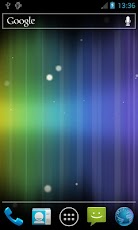
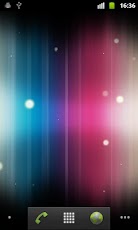
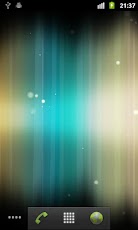
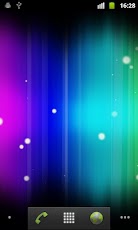
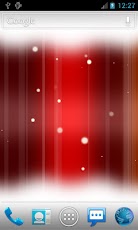
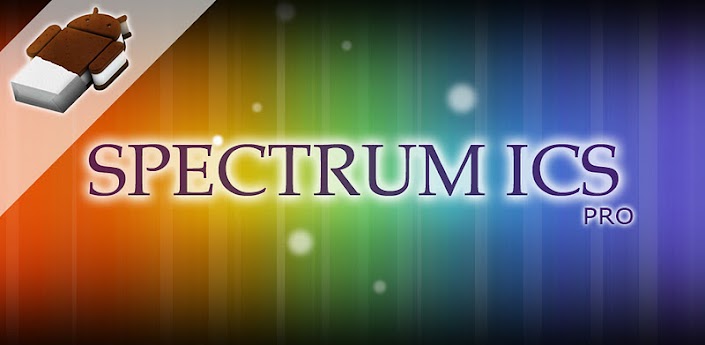
Spectrum ICS Pro LWP apk
Download: Spectrum ICS Pro Live WP v1.2.6 Apk | 1.2 MB | Mediafire
Requires Android:2.1 and up
Great for new Android 4.0 Ice Cream Sandwich ICS themes with floating particles.
What’s in this version :
  • Added more options to FPS
  • Updated to latest Android 4.4 SDK

App Review:

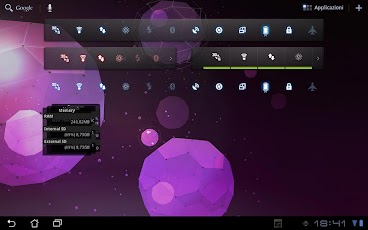
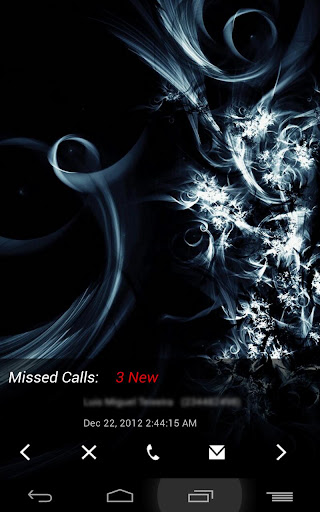
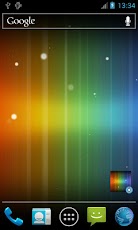
Spectrum ICS live wallpaper, beautiful abstract colors with floating particles.
Also great for new Android 4.0 Ice Cream Sandwich themes.
Features
- Beautiful abstract colors
- Setting widget
- Custom background color
- 6 background themes
- 4 shadow types
- Shadow settings
- Strip settings
- Dust settings
- Light element settings
- Parallax effect
- Use 3D hardware to render images, save battery
- Support most resolutions including Android 3.0 tablet
Instruction
Home -> Menu -> Wallpapers -> Live Wallpapers
Note: It is live wallpaper so you can’t open the app, you will need to follow the instruction above in order to set the wallpaper. Also slower/older devices (shipped with Android OS below 2.1) can’t run it too, currently it has been tested on Nexus S, HTC Desire and Samsung tab so any mobile devices that is equivalent to them should run fine.
If you have put the app on SD card and restarted the phone, the wallpaper will reset to default since the system couldn’t find the app first.
FAQ:
1. App is not compatible with my device?
Please try the free version first.
2. Wallpaper resets to default after reboot/restart the phone?
Please move the app to phone instead of SD card.
3. My app is not downloading after purchasing?
If it is your first time buying, Google will check through the credit card detail which normally takes few hours time.
Try troubleshooting at Google: http://market.android.com/support/bin/answer.py?answer=1267233
4. When does 15 minutes refund period start?
15 minutes refund period only starts when you have actually downloaded the app.
What’s in this version:
  • - Updated to latest Android 4.2.2 SDK
  • - Updated core engine to improve memory managemen


Sunday, December 29, 2013

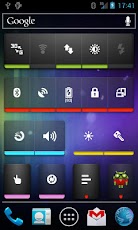
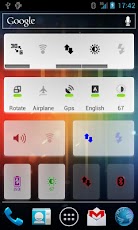
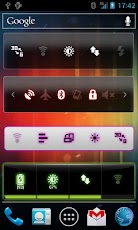
Extended Controls apk
Download: Extended Controls v6.0.1 Apk | 2.3 MB| Mediafire
Requires Android:1.6 and up
The best widget to easy extend and customize the “android” settings.
What’s in this version :
  • Fixed battery and brightness percentage label;
  • Removed obsolete options in widget configurations;
  • Fixed blank icons for off status;
  • Fixed option “Download backgrounds” from main app;
  • Readded blur customization on icons;
  • Removed obsolete user custom background!
  • Fixed GPS toggle for some devices;

App review:

“Extended Controls is a great app. By far the most useful widget I have ever used” (computersight.com)
“What’s in a name? Everything. Extended Controls is definitely the best settings widget app that I have come across and there are quite a few available at the moment” (appstorm.net)
“None of the other apps have as many functions and options as Extended Controls. The long list of widgets, the amount of various designs and its user friendliness make Extended Controls a real must-have!” (androidpit.com)
—–
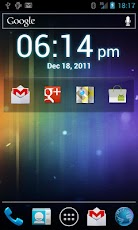
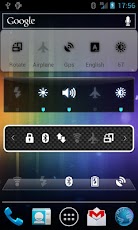
Extended controls is THE MUST HAVE APP for every Android user. It provides a totally customizable widgets, many advanced settings for any widget (more than 30 toggles each).
Extended Controls provides user-friendly graphic interface and a easy configuration manager.
With its features user can customize his widgets and he can beautify your fantastic Android smartphone.
Extended Controls improve your batterylife using an innovative feature called “Battery saver”. It’s only app on Market that do this!
* NEWS: Released a new Icons theme, search for: EC.Theme *
Features:
Custom backgrounds (from your gallery or download a set of backgrounds from the web);
Widgets transparency;
A lot of different icons;
Edit existing widgets;
Direct Home shortcuts;
Customizable colors & labels;
On/Off dividers;
Label colors;
Honeycomb and all tablets supported (featured on Asus EEE Pad Transformer);
Different widgets size (over 10 toggle for any single widget);
Different indicator type (standard or circular)
Clock Widget
System Info Widget (RAM, CPU, Network, ext-memory, etc.)
Notification Widget (like Samsung Galaxy S and S2)
Advanced features:
Widgets sliders with double arrow, to beautify your home screen;
Widgets controller on App Drawer (Extended Controls -> Widget option);
Active widgets in notification bar (only Honeycomb);
Stack Widgets list on Honeycomb;
Widgets in notification bar;
Possibility to remove widgets size from android menu;
Disable static indicator;
Widget preview of your widget on configuration activity;
Share your widgets with main social networks (Facebook, Twitter, Google+, etc.)
Profiles mode:
Only app that saves your widgets and allow you to load it whenever you want!!!!
As we know Android provides a widget that allows you to enable or disable these settings: WiFi,Bluetooth,GPS,Sync,Brightness.
With Extended Controls, Android Power Widget can be improved allowing users to add main settings:
- 2G-3G
- 4G (WiMAX only for EVO)
- APN (Rename APN, Direct Mode or Settings Shortcut)
- Wifi (with indicator label)
- Bluetooth
- Brightness (High customization, with custom seekbar, label percentage, native mode)
- GPS
- Auto Sync
- Auto Rotate
- Fly Mode
- SD Scanner
- Silent Mode
- Vibration Mode
- Timeout
- Stay Awake toggle
- Flashlight (Torch) available on (Nexus One, Samsung Galaxy S, HTC Desire, HTC Legend, Sony Ericsson X10mini, Sony Ericsson X10, Motorola DroidX, Motorola Droid, Milestone, Verizon, Mobile, Nexus S, Galaxy Ace, Fascinate, LG Optimus, Atrix, Arc, Samsung Galaxy S2, Motorola Photon, Motorola Droid3, Motorola Xoom, Galaxy Tab, HTC Desire HD, HTC Desire S, HTC Thunderbolt, Galaxy Nexus and others)
- Mount USB
- AlwaysOn feature
- AutoLock
- Reboot (only for root users!! bootloader, normal or fastboot, confirm dialog)
- Battery (image, percentage or image percentage; color label)
- Locale
- Hotspot Wifi
- USB Tether
- LockPattern
- AudioManager
- Lock Screen (turn your screen off)
- Direct Shortcut app (All activities or applications)
- Haptic feedback
- Volume manager (All volumes controls)
- Shutdown (Only for root users)
- Contact direct call
- System info (RAM, CPU, memory usage, SDcard free memory)


Ultimate Call Screen HD Pro apk
Download: Ultimate Call Screen HD Pro v10.3.0 Apk | 1.6 MB | Mediafire
Requires Android:2.1 and up
Ultimate Call Screen HD: Fullscreen Caller ID. Call Blocker and Sensor actions!
What’s in this version :
  • Contact manager now has its own tab on Settings, including Fast Scroll and visual status indicators
  • More efficient contact lists
  • Fixed issue with default Video ID for known contacts showing even if contact was personalized
  • Fixed visibility issues on Facebook lists when using Dark UI

App Review:

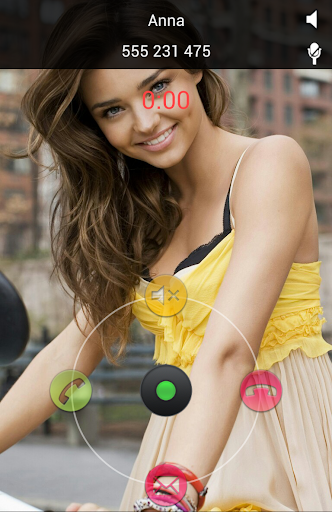
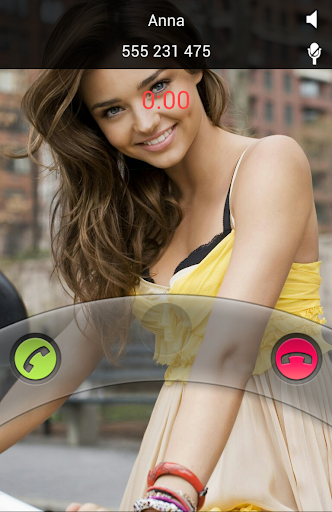
Ultimate Call Screen HD Free combines a Fullscreen Caller ID replacement, contact picture manager, call blocker, and, on top of that, sensor-base actions such as rejecting calls by turning the phone screen-down, and swipe gestures just to be sure you handle your phone any way you want to.

Feature :
General:
  • - No limit on number of contacts to personalize.
  • - Apply pictures to contacts directly from your gallery, with the android “share” function. Just choose “Add to UCS”!

Full Screen Caller ID
  • - Selectively enable only for outgoing/incoming calls
  • - Enable and configure swipe up gesture to reject, answer, reject with SMS, or default phone interface.
  • - Press “Back” when UCS is handling a call to jump back to your default phone interface
  • - Choose pictures from gallery or take from camera
  • - Image cropper with multi-touch zooming
  • - Per-contact blocking
  • - Preview each contact callscreen
  • - Define a global default HD picture
  • - Optional on-screen “loudspeaker” button
  • - Option to show/hide status bar on lockscreen
  • - Optional haptic feedback (vibrate)
  • - Different default pictures for known and unknown contacts
  • - Hide parts of the call screen for cleaner interface.

Call Blocker
  • - Block individual contacts.
  • -Global Activate/deactivate call blocking

Sensor based actions
  • - Activate/deactivate sensor actions
  • - Set the “Turn to reject” feature: Turn the phone screen-down to reject an incoming call.

With the Pro License you are also able to:
  • - Intercept and show SMS messages with fullscreen caller picture below. Fully themable SMS screen.
  • - Option to make incoming SMS show above lockscreen, including turning the screen on
  • - Dismiss or reply to sms directly from UCS SMS screen, with buttons or swipe gestures
  • - Swipe through all your inbox SMS messages, not just the incoming
  • - Link your contacts to Facebook friends and use their HD profile pictures as call screen.
  • - Setup UCS to use your current android contact picture as fullscreen caller ID.
  • - Enable swipe gestures in every direction, both in calls and SMS screen
  • - Use UCS themes to personalize your call screen even more! Different default themes for known and unknown contacts, as well as hiding callscreen elements.
  • - Setup different themes for individual contacts
  • - Activate the “Turn to mute ring” feature (if your hardware supports it).
  • - Activate the “Turn for loudspeaker” feature (if your hardware supports it).
  • - Activate the “Block all incoming calls” feature: every single call will be blocked.
  • - Activate the “Whitelist mode”. This allows you to invert the blocking selection, and all contacts NOT marked for blocking will be blocked.
  • - Activate the “Block Unknown Callers” feature.

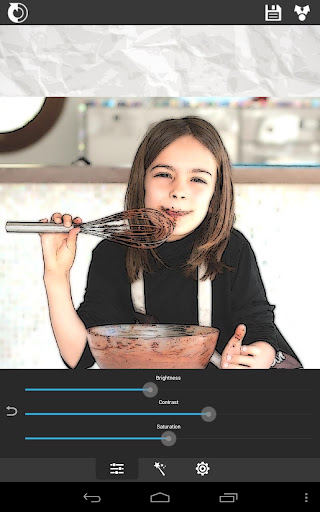
XnSketch Pro apk
Download: XnSketch Pro v1.20 Apk | 2.3 MB | Mediafire
Requires Android:2.2 and up
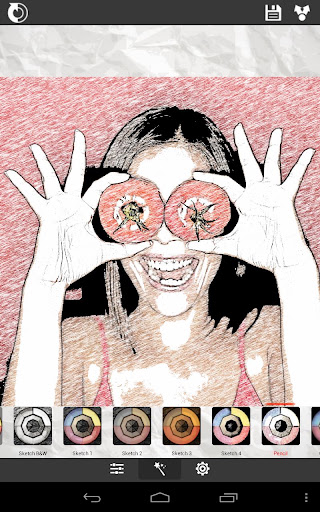
Turn your photos into drawing, cartoons or sketch images in one click to create instant works of art.
What’s in this version:
  • bugs fixed

App Review:

Different effects easy to use with full control. Save your creations and share them with your friends through Facebook, Twitter, and Email.
Features:
  • ★ Different effects (black strokes, white strokes, pastel, pencil sketch, color sketch, cartoon, stamp, halftone, hatching, …)
  • ★ Edge strength, and opacity adjustement
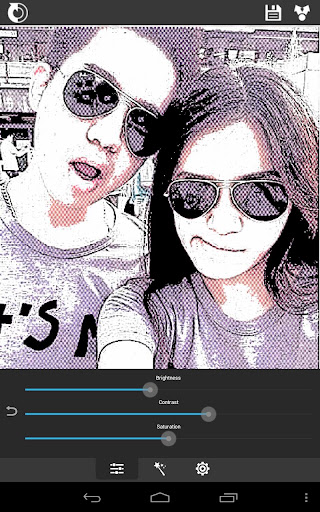
  • ★ Contrast, brightness, saturation adjustement
  • ★ Save or share the result with your friends via Twitter, Facebook, Email, …
  • ★ No registration is required, and there are no watermarks, no limitations.


Click Here to Download via Mediafire

Click here to Download via Multiple Mirrors
 
Download-Market
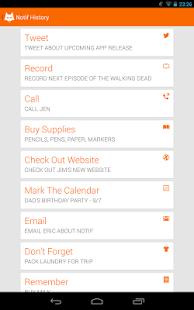
Notif Pro apk
Download: Notif Pro v1.0.1 Apk | 1.2 MB | Mediafire
Requires Android:4.1 and up
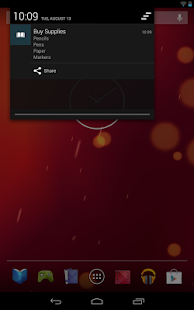
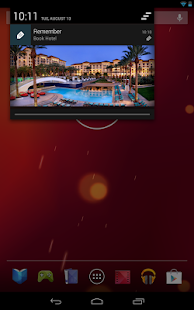
Notif is an app built for Jelly Bean that allows you to create rich notifications for reminders, passwords, lists, pictures, or anything else you’d like to put up there that you can think of!
What’s in this version:
  • Removed all restore reboot functionality (or lack of) because of the crashes

App Review:

The Pro version for your favorite custom notification creator!
Notif Pro features include:
- All 200 custom icons!
- Lots more to come
Notif is an app built for Jelly Bean that allows you to create rich notifications for reminders, passwords, lists, pictures, or anything else you’d like to put up there that you can think of!

Notif Pro - screenshot thumbnailNotif Pro - screenshot thumbnailNotif Pro - screenshot thumbnail

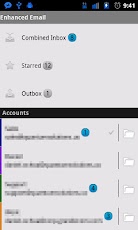
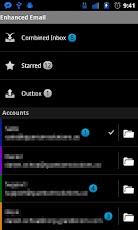
Enhanced Email apk
Download: Enhanced Email v1.34.5 Apk| 1 MB | Mediafire
Requires Android:2.2 and up
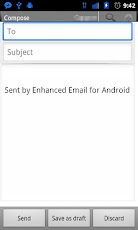
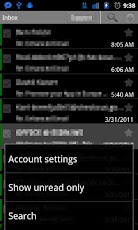
Enhanced Email is a fully featured but lightweight E-mail client!!
What’s in this version: 
  • READ_CALL_LOG & WRITE_CALL_LOG are being automatically added by Android because my targetSdkVersion isn’t set to 16+ and because I use the READ/WRITE CONTACTS permission. You can read more about it here (http://developer.android.com/reference/android/Manifest.permission.html#WRITE_CALL_LOG). I don’t use the call log at all in any way shape or form. It’s being forced on me.
  • Various bug fixes merged from AOSP

App Review:

Due to the overwhelming e-mail requests for the 50% price point, I have extended the sale for an undetermined amount of time. Get it while it’s hot and spread the word (Twitter, Google+, Facebook)!
Enhanced Email is a fully featured but lightweight E-mail client that can easily aggregate all of your e-mail accounts into a single location. Whether you are a regular e-mail user just needing to keep in touch with friends/family or a power business user needing to synchronize calendar/contacts/email with your Exchange server, Enhanced Email is the only application you will need.
The focus with Enhanced Email is to offer a mobile application that continues to evolve as the needs of its users evolves. That is why we offer such a large community of support and interaction to keep a close ear to what the users want. Proudly based in the US, support is offered during regular business hours through an online forum which we scour daily to respond to users. International users should expect a response typically within 24 hours. The community of support has grown even further and Enhanced Email now features a Google+ page (https://plus.google.com/108146741302698907415) where the developer responds and interacts with users daily.
** Attention **
* Please see my support forum to obtain a trial copy!
Support for:
* Exchange 2003/2007/2010 SP1 (Activesync only, not Exchange WebServices)
* Zimbra Collaboration Server
* Novell Groupwise Server (Activesync must be running)
* IceWarp Server
* Just about every POP/IMAP server you can think of
Supported on:
* Android 2.2 – 4.1
Other Android apps that extend EE’s functionality:
* Executive Assistant
* Email Widget by InvalidObject
Some features include:
* Backup/Restore accounts + settings
* Full E-Mail search including message text!
* Custom font when sending messages
* Sort your mail by: Date received, Sender, Subject, Unread messages, messages containing attachments, or by starred/flagged messages
* Pinch to zoom when viewing a message
* Disable syncing of deletes from phone to server (Exchange)
* Growing support for many 3rd party apps that offers an amazing integration with apps/widgets you already love to use!
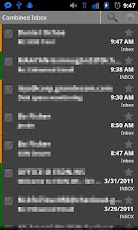
* Combined Inbox view aggregates mail for all mailboxes into a single location!
* Auto-BCC
* Full HTML inbound/outbound
* PUSH for Mail/Contacts/Calendar –> Exchange only <–
* Ability to sync “ALL” E-mail option (Exchange)
* Customizable account colors for each account
* Ability to select/copy text!
* “Empty Trash” option makes emptying your trash folder 100 times easier/faster
If you love the app PLEASE take the time to rate it accordingly and drop me a comment. Thanks everyone!


Dayframe Prime (photo frame)  Apk
Download: Dayframe Prime All-in-One Slideshow v1.3.2 Apk | 9 MB | Mediafire
Requires Android:2.2 and Up
Dayframe Prime takes Dayframe to the next level!
What’s in this version :
  • bug fixes
  • Shuffle All* and Zoom playlist settings
  • Player controls menu in Photo Browser
  • checkbox list for adding multiple albums
  • rearranged some stuff for new users
  • hidden prime feature now show w/ sashes
  • KNOWN BUG: *Shuffle All only does recent 50 photos in “paged” albums (Facebook, Flickr, G+)

App Review:
BRAND NEW FOR ANDROID!
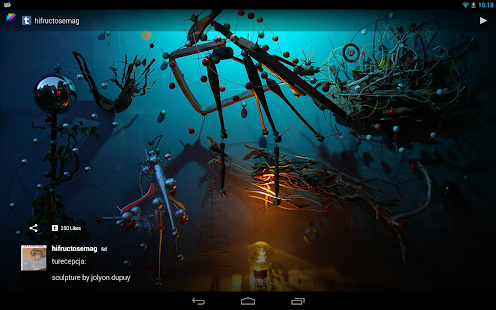
We’ve very excited to share with everyone our next big thing for Android. Dayframe turns your device into a fun and powerful new photo frame. Sounds boring, but there’s juice in this one and best of all – it’s FREE!
★ One Frame – Countless Photos
Dayframe works with your favorite photo sharing services to provide a ongoing slideshow of friends, family, and interests. Browse and share photos between Facebook, Instagram, Tumblr, Google+, Dropbox, Flickr, Twitter, 500px, and more.
★ Ridiculously Convenient
Dayframe is designed to automatically play when you’re not using your device. Once you’re set up, that’s it. Dayframe takes care of everything. No check-ins, no remembering, just set it and forget it.
★ Interactive Slideshow
It plays sequentially through your selected photostreams, updating each stream just before it airs. You can swipe back & ahead through photos & streams and long-press to zoom.
★ Gracefully Social
The social UI layer fades out of the way when you don’t need it. Just tap the screen to bring it back. Double-tap for a quick “like”. Tap the creator’s avatar & caption to open their user page & post.
★ Screensaver Timer
You pick the best time to play as a screensaver, along with settings for network, battery level, and power source. The app won’t run all night or drain your battery / bandwidth.
★ Live Party Pics
Use Dayframe and Instagram to show party-people pics during your event.
★ Old Tablets are Awesome!
Dayframe is excellent for re-purposing old tablets. Set up a tablet in your kitchen, living room, bedroom, or anywhere you want a powerful photo frame that doubles as web browser, remote control, and shareable device.
★ Use a stand for the best possible experience!
Features:
  • fully automated photo frame
  • all-in-one Facebook, Instagram, Tumblr, Google+, Dropbox, Flickr, Twitter, 500px, and more
  • smart auto-player
  • screensaver timer w/ power settings
  • custom playlist
  • photo gallery
  • unlimited photostreams
  • left & right side menus
  • immersive mode
  • onboarding & discovery
  • built-in guides
  • KITKAT native (built on sdk 19)

Dayframe (Android photo frame) - screenshot thumbnail

Click Here to Download via Mediafire 


Click here to Download via Multiple Mirrors

Download-Market
All rights reserved. Android720
Powered by android720 Design by Jenzo